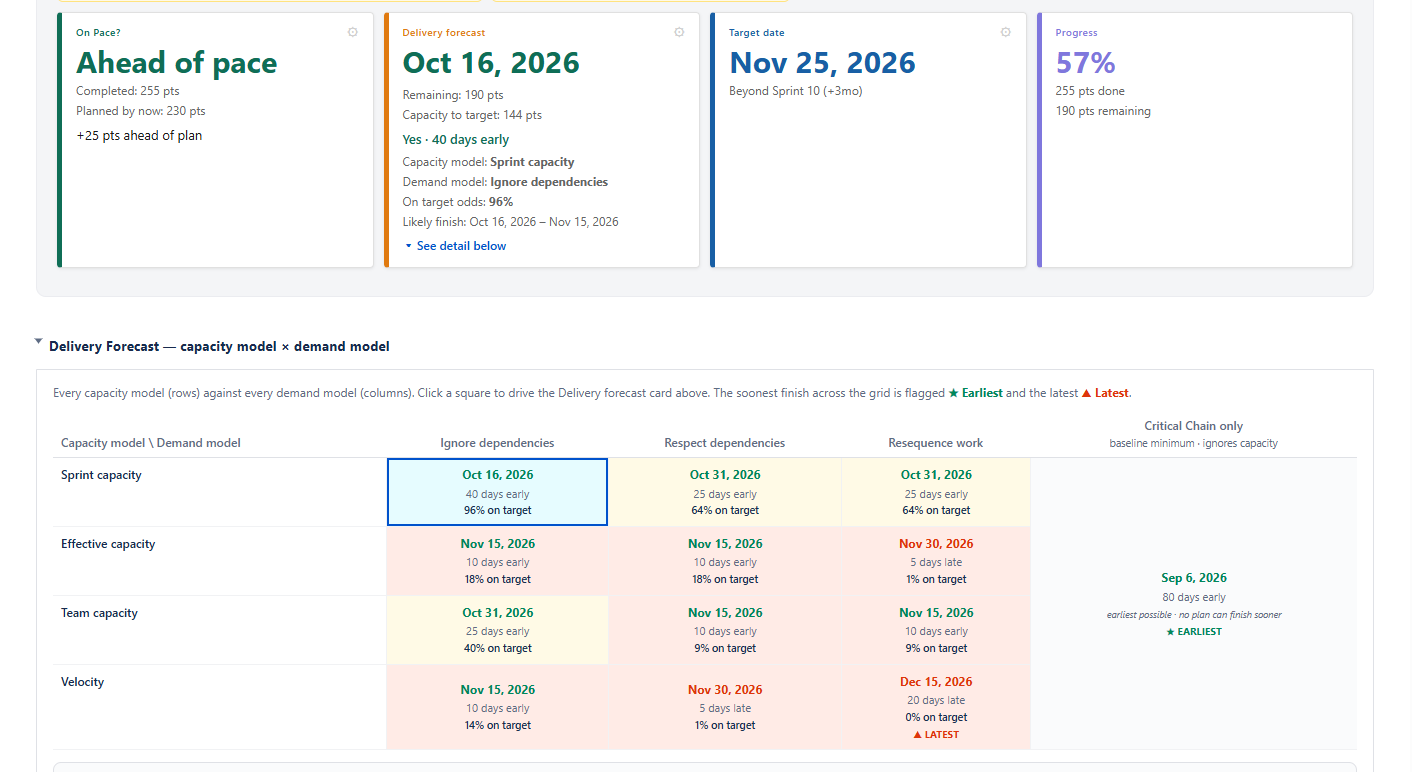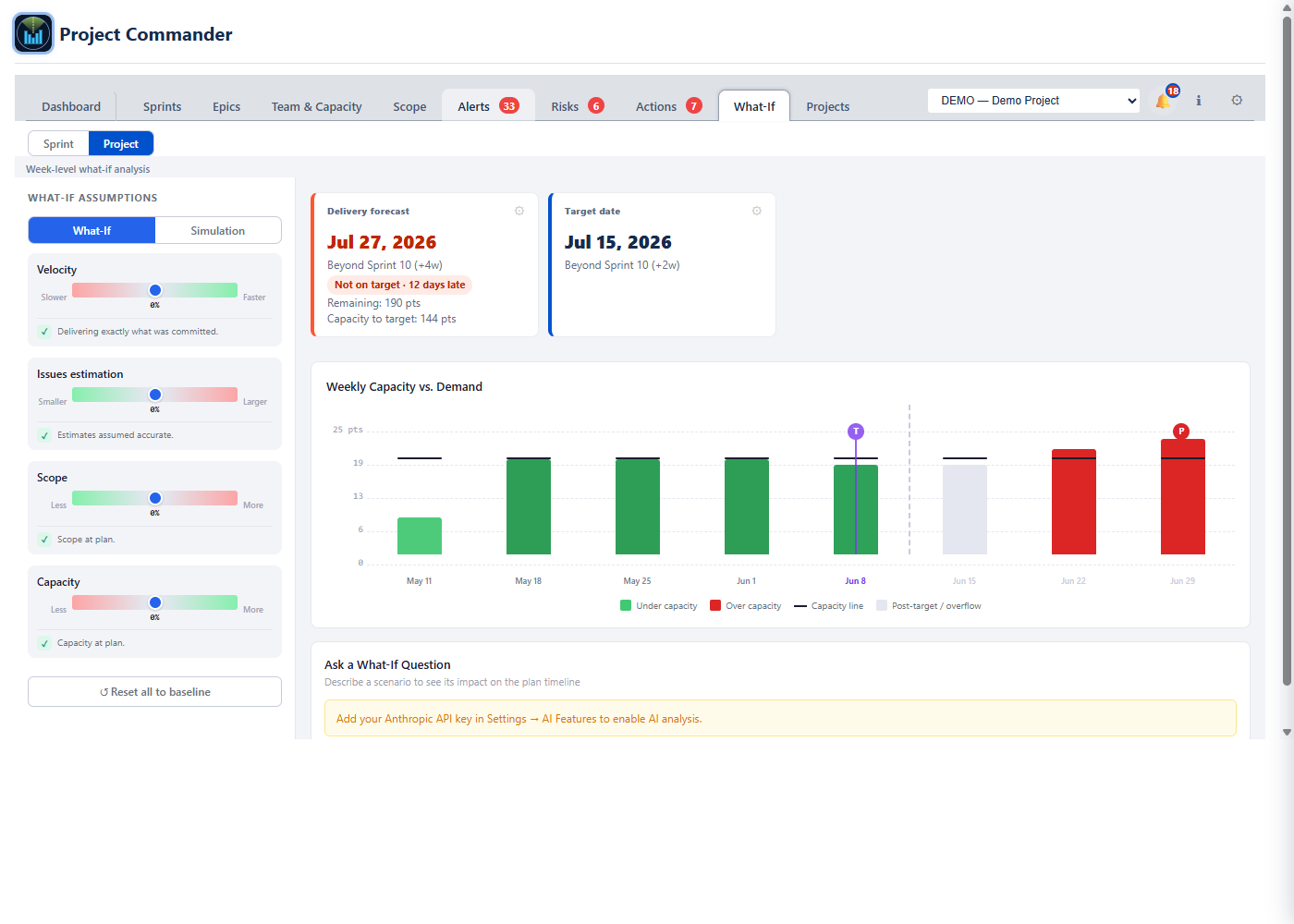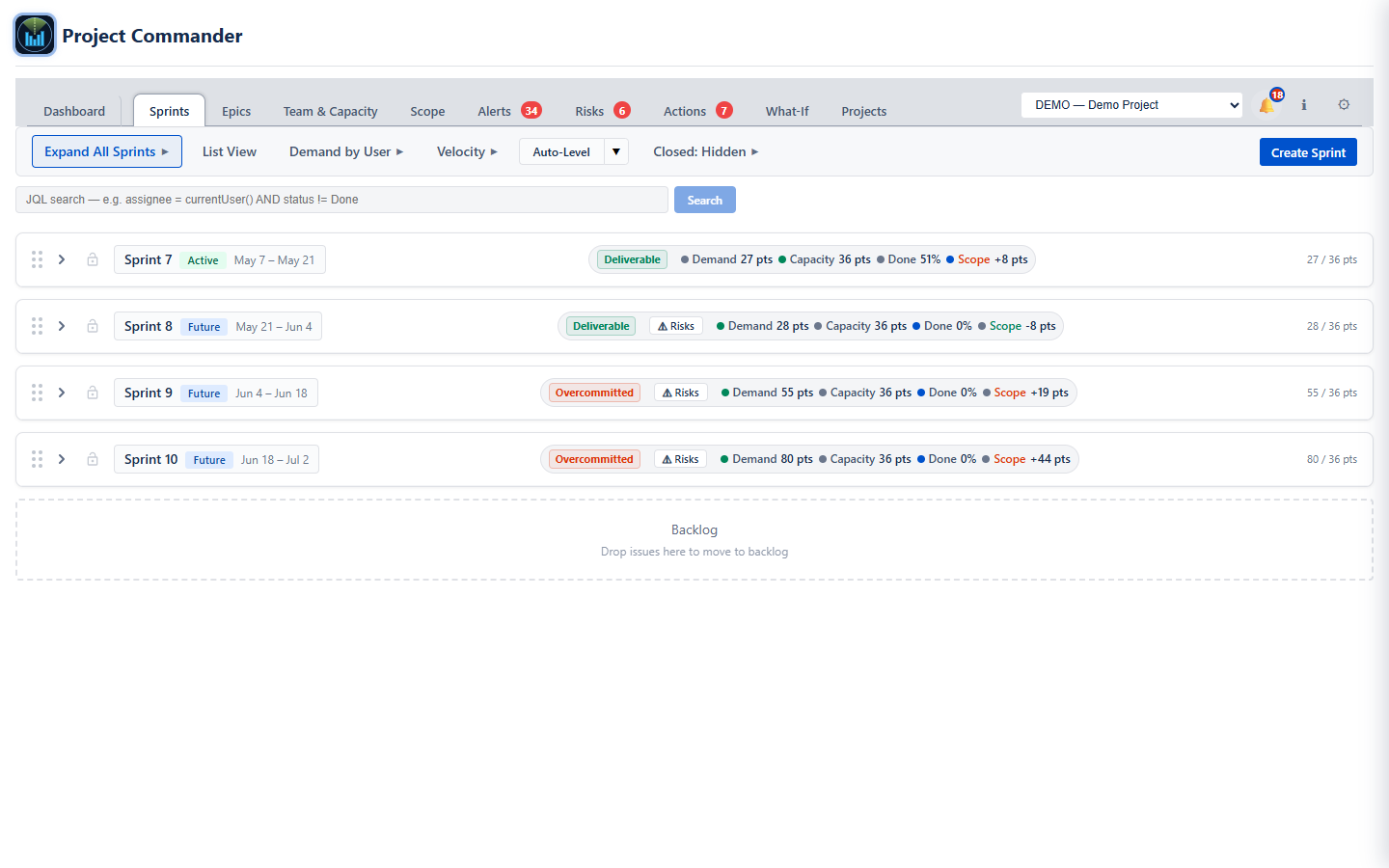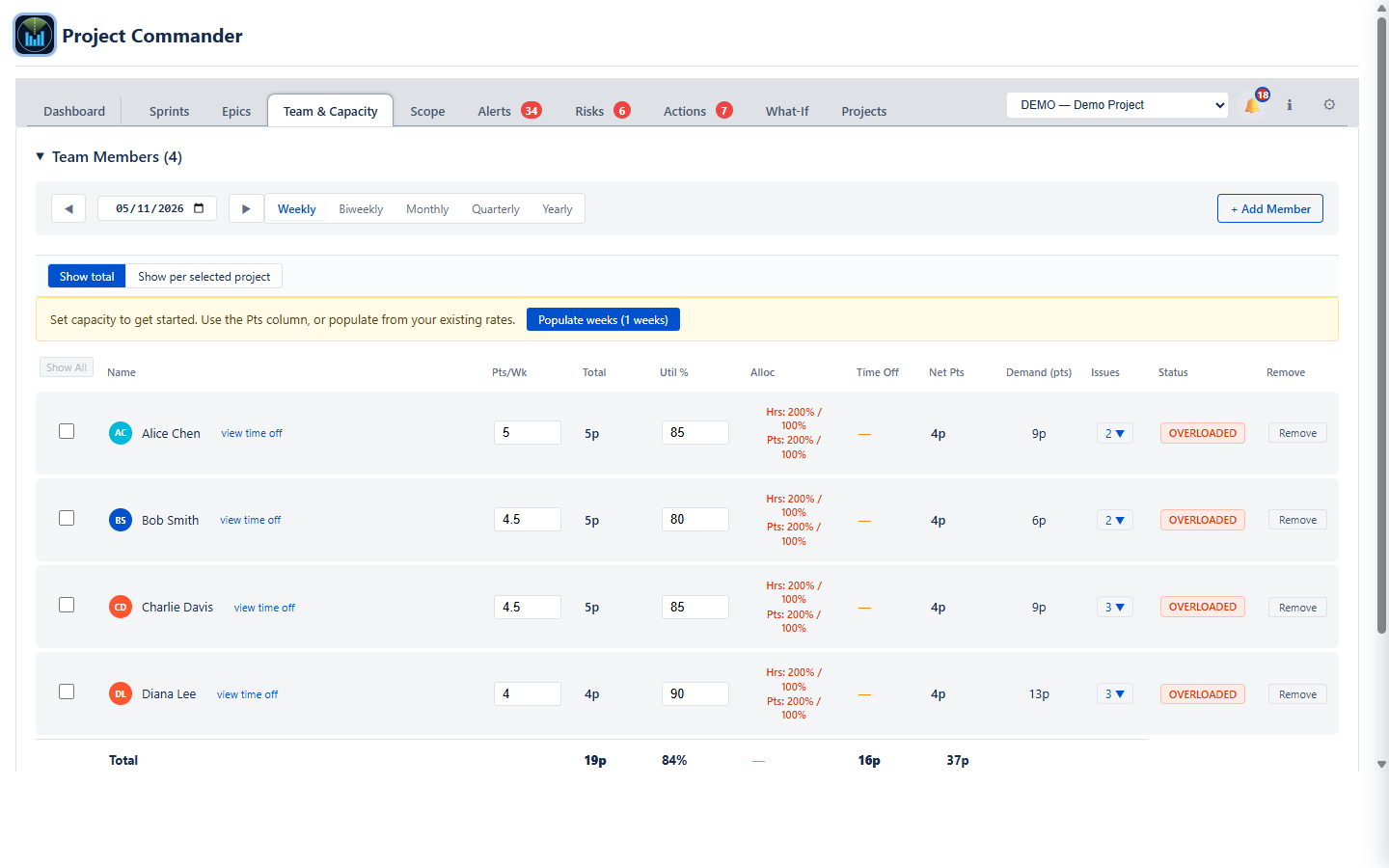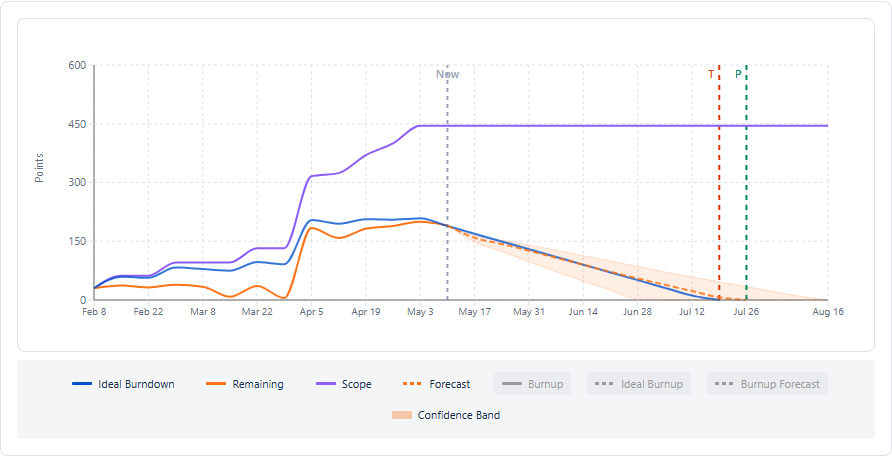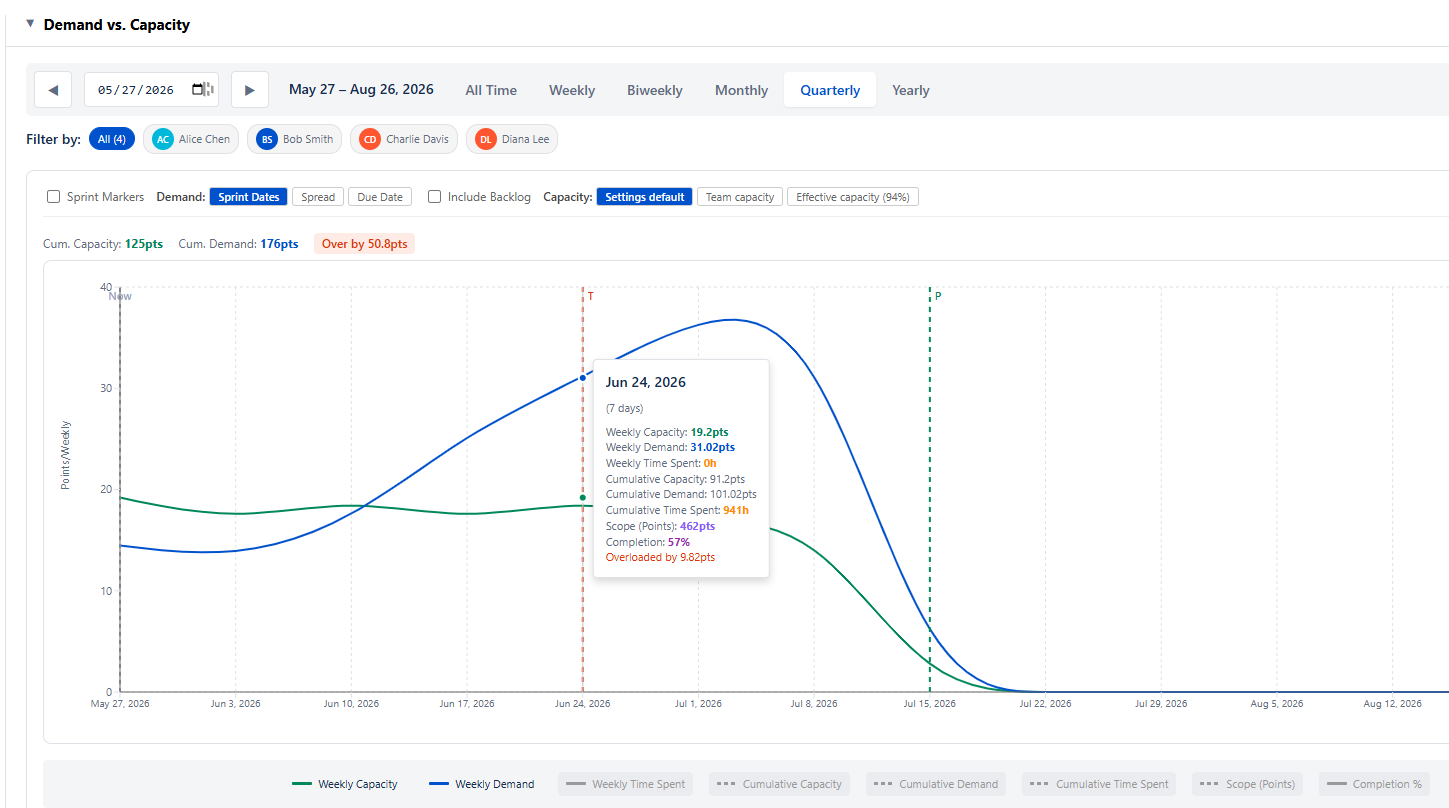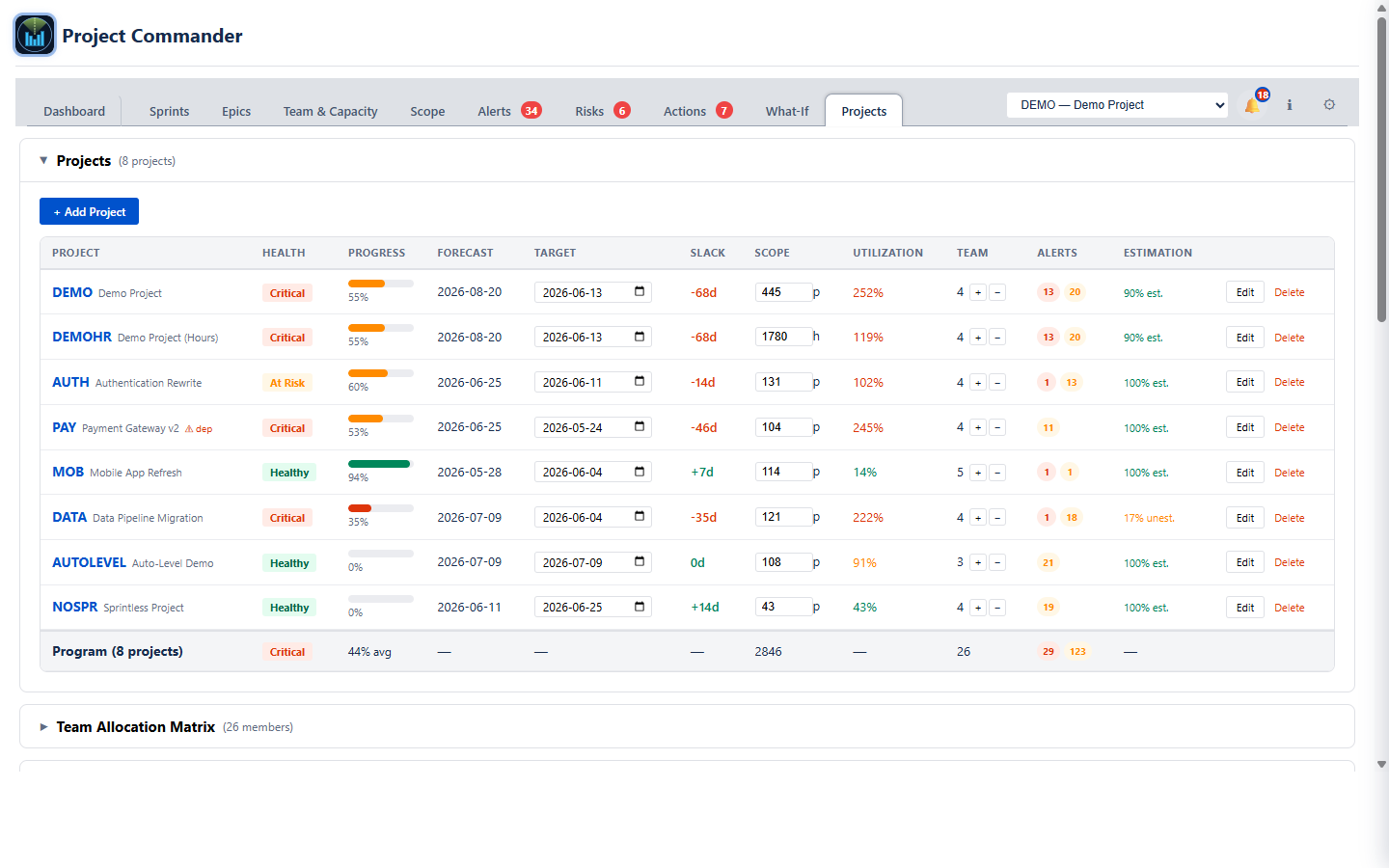
Sprint Commander brings capacity planning, auto-leveling, and dependency tracking to your Jira backlog. Stop guessing, start shipping.
Free trial available. Works with Jira Cloud.
Jira doesn't warn you when sprints are overloaded. Teams commit to more than they can deliver.
Blocked issues scheduled before their blockers? Jira won't tell you until it's too late.
When priorities shift, you manually drag dozens of issues between sprints.
Set limits per sprint or per user. Visual warnings flag over-capacity sprints and oversized issues that exceed your limit.
Choose your strategy: move by priority, size, or due date. Respects dependencies and prefers sprints that fit issue deadlines. Works in both sprint and per-user modes.
See instantly when a blocker is scheduled after the issue it blocks. Fix scheduling conflicts before they cause delays.
Use story points or remaining estimates (hours/days). Sprint Commander works with your preferred metric.
See percentage of work remaining in each sprint. Choose between original estimate or work ratio calculations.
Sync issue start/due dates to sprint dates with one click. Keep your roadmap accurate.
Track workload by team member. Set individual capacity limits per sprint to balance the load.
Browse and select your board from a dropdown list. No need to hunt for board IDs in URLs.
Select multiple issues with checkboxes and move them between sprints in one drag. Auto-scrolling makes long-distance moves easy.
Get AI-powered sprint insights. Ask questions about capacity, risks, and recommendations. Uses your velocity history for accurate forecasts.
Track team velocity across completed sprints. See expected points, efficiency trends, and per-user performance. Plan sprints based on actual capacity.
Add and edit sprint goals inline. Click to edit, save changes instantly. Keep your team aligned on sprint objectives.
Optional columns show issue start and due dates. Past-due items highlighted in red so nothing slips through the cracks.
See what you're missing with the built-in backlog view
| Feature | Jira Native | Sprint Commander |
|---|---|---|
| View sprints & issues | ✔ | ✔ |
| Drag-drop between sprints | ✔ | ✔ |
| Multi-select drag & drop | ✘ | ✔ batch moves |
| Story points display | ✔ | ✔ |
| Capacity limits per sprint | ✘ | ✔ with warnings |
| Per-user capacity tracking | ✘ | ✔ |
| Remaining Estimate metric | ✘ | ✔ hours/days |
| Progress indicator | ✘ | ✔ % remaining |
| Auto-level sprints | ✘ | ✔ dependency-aware |
| Auto-level strategy selector | ✘ | ✔ priority/size/date |
| Date-aware scheduling | ✘ | ✔ respects deadlines |
| Oversized issue warnings | ✘ | ✔ |
| Dependency warnings | ✘ | ✔ |
| Sync dates to sprints | ✘ | ✔ |
| Work by user summary | Limited | ✔ with filtering |
| Collapse/reorder sprints | ✘ | ✔ |
| Dashboard gadget | ✘ | ✔ |
| Board selector dropdown | ✘ | ✔ |
| Delete sprints with issues | ✘ | ✔ with move options |
| AI-powered analysis | ✘ | ✔ Ask AI |
| Editable sprint goals | View only | ✔ click to edit |
| Start/Due date columns | ✘ | ✔ with past-due alerts |
| Velocity tracking | ✘ | ✔ team & per-user |
| Sprint completion rollover | Manual only | ✔ with options |
40-second tour of Sprint Commander's key features
What you'll see in the demo:
See all your sprints with goals, capacity limits, start/due dates, and user workloads. Past-due items highlighted in red. Edit goals inline with a click.
Track team velocity across completed sprints. See expected points, efficiency percentages, and trend indicators. Switch to per-user view to see individual performance.
Select your board from a dropdown, choose story points or time estimates, set capacity limits, and customize which columns to display.
Install Sprint Commander on your Jira Cloud instance in minutes. Free trial available.
Get Sprint CommanderAvailable on the Atlassian Marketplace